Receive notifications from Claude Code using noti
Procedure
Install noti

 GitHub - variadico/noti: Monitor a process and trigger a notification.
Install this tool. On macOS, you can use Homebrew.
brew install notiNote that in order to receive notifications, you need to enable notification permissions for the macOS default Terminal app.
Even if you are using a third-party terminal application such as Ghostty or iTerm2, notifications will not be delivered unless notification permissions for the default Terminal app are enabled.
Create notification scripts
Create ~/.claude/hooks/notify-waiting.sh.
#!/bin/bash
PROJECT_NAME=$(basename "$PWD")
noti -t "$PROJECT_NAME" -m "Waiting for input" true
Also create ~/.claude/hooks/notify-complete.sh.
#!/bin/bash
PROJECT_NAME=$(basename "$PWD")
noti -t "$PROJECT_NAME" -m "Completed" true
In my case, it worked even without adding execute permissions, but depending on your environment, you may want to run chmod +x.
settings.json
Add the following to ~/.claude/settings.json.
{
  "hooks": {
    "Notification": [
      {
        "hooks": [
          {
            "type": "command",
            "command": "bash \"$HOME\"/.claude/hooks/notify-waiting.sh"
          }
        ]
      }
    ],
    "Stop": [
      {
        "hooks": [
          {
            "type": "command",
            "command": "bash \"$HOME\"/.claude/hooks/notify-complete.sh"
          }
        ]
      }
    ]
  }
}
With this setup, everything is ready to use.
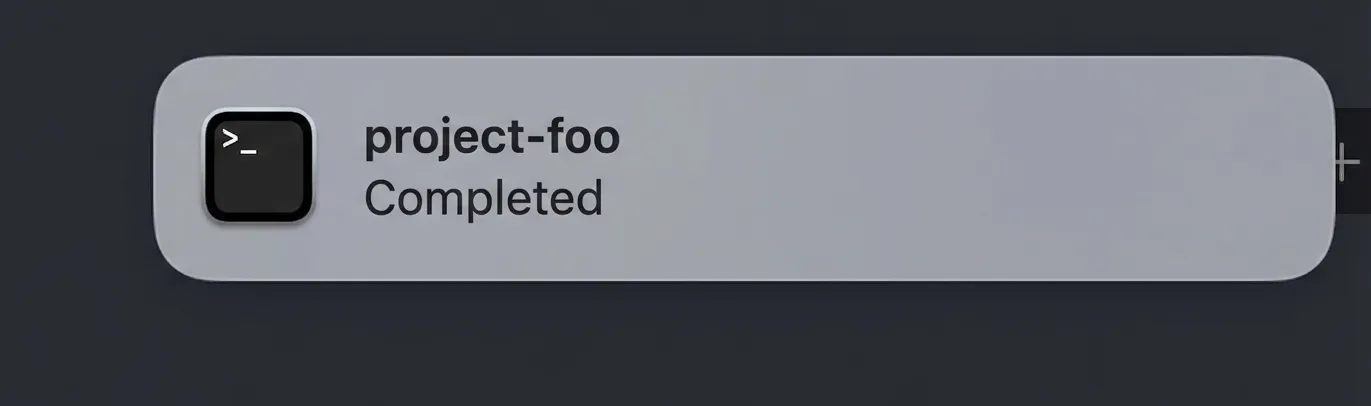
You will now automatically receive notifications when the system is waiting for input or when processing is complete.
Why not use osascript?
The reason is simple: this works on Windows and Linux as well. Since noti is cross-platform, you can use the same scripts to receive notifications on other operating systems. Go is great.
Acknowledgements
The following articles were referenced when creating this setup. Many thanks.
 [Quick Tip] Notifying input wait and completion with sound in Claude Code Hooks | DevelopersIO